
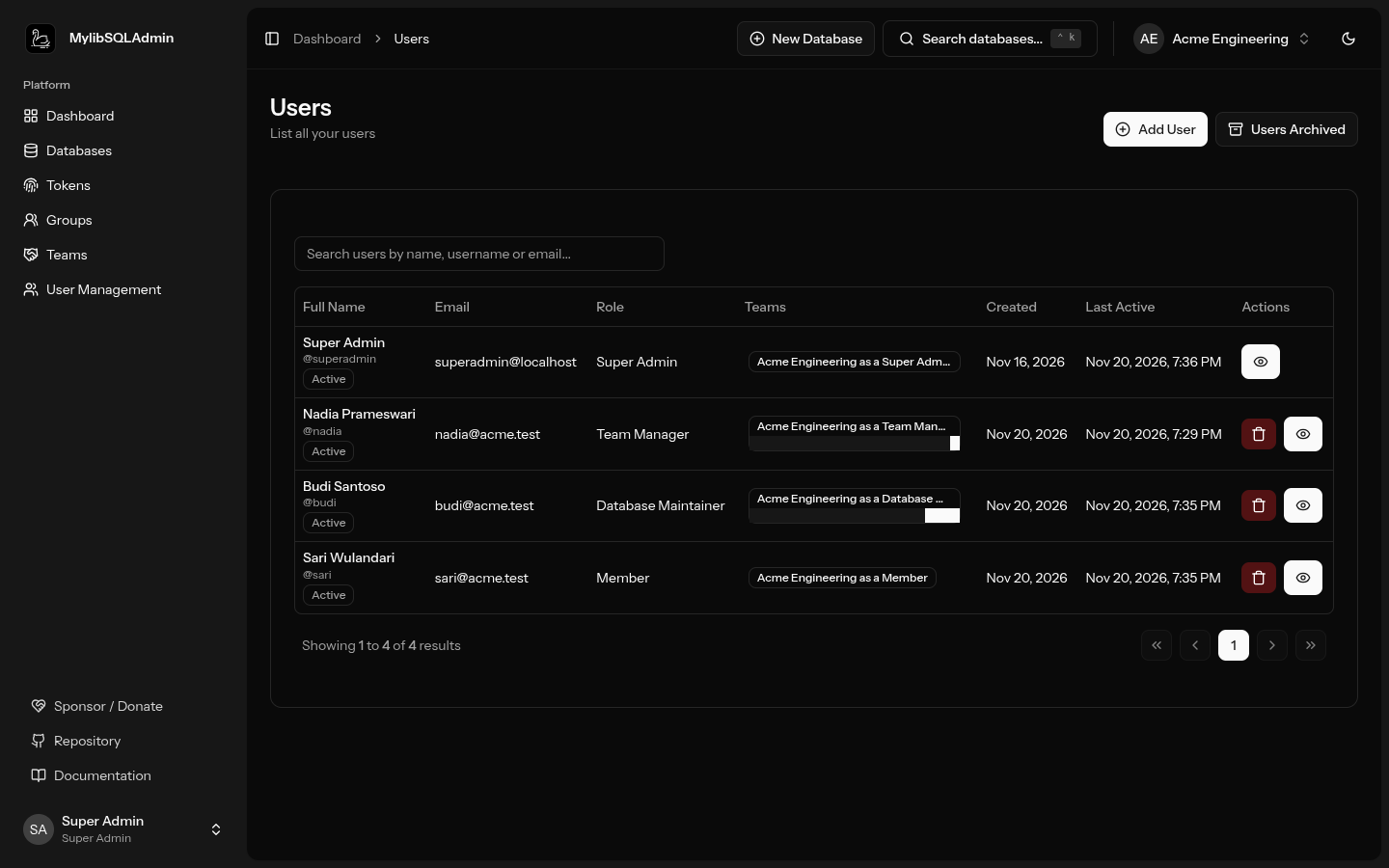
MylibSQLAdmin ships four roles. They are not a hierarchy of seniority — they describe where a person sits in the system: above teams, inside a team, on a database, or on the receiving end of access.
Super Admin
Platform owner. Every team, every database, every user, every token.
Team Manager
Runs one team: groups, group credentials, databases and membership.
Database Maintainer
Owns the databases granted to them and the tokens that unlock them.
Member
Uses granted databases through Studio or a token. Read-only by default.
The matrix
This is the short version. The full permission matrix lists every permission string the seeder assigns.
| Capability | Super Admin | Team Manager | Database Maintainer | Member |
|---|---|---|---|---|
| View databases | All | Team | Granted only | Granted only |
| Create databases | Yes | Yes, in own team | — | — |
| Archive / delete databases | Yes | — | — | — |
| Grant a database to a user | Yes | — | — | — |
| Create / delete groups | Yes | Yes, in own team | — | — |
| View groups | Yes | Yes | Yes | Yes |
| Mint database tokens | Yes | — | Yes | — |
| View database tokens | Yes | Yes | Yes | Yes |
| Mint / revoke group tokens | Yes | Yes | — | — |
| Invite / remove team members | Yes | Yes, own team | — | — |
| View team members | Yes | Yes | Yes | Yes |
| Update team details | Yes | Yes, own team | — | — |
| Create / delete teams | Yes | — | — | — |
| Create / edit / archive users | Yes | — | — | — |
| Open Database Studio | Yes | Yes | Yes | Yes |
Role, membership, grant
A person’s effective access is the intersection of three things:
- Role answers what kind of action is allowed (create a group, mint a token, archive a user).
- Team membership answers where it is allowed. Policies compare the object’s
team_idwith the user’s membership row. - Grant answers which database a Maintainer or Member can see. Without a grant, a database does not appear in their list even if their role can view databases.
Two things that surprise people
A Team Manager cannot mint per-database tokens — that permission belongs to Super Admin and Database Maintainer. Team Managers issue group tokens instead, which is why the Groups screen is their credential workspace.
A Member has no Tokens entry in the sidebar at all. They receive credentials from someone else and use them through Studio or the SDK.
Choosing a role
- Give Super Admin to as few people as possible. It is the only role that can create users, delete teams, and archive databases.
- Use Team Manager for the person accountable for a team’s structure: who is in it, which groups exist, which credentials the team hands out.
- Use Database Maintainer for the person on call for specific databases. They can rotate credentials without being able to delete data.
- Use Member for everyone who only needs to query. Combine it with a grant, not with a broader role.