
A database is a libSQL namespace. Creating one writes a directory under the sqld data volume — it is a real object, not a row in the app’s database. A group is an organisational layer that lets several databases share one credential.
Create a database
- Press New Database in the header.
- Choose Create new database (the alternative, Use existing shared schema database, attaches to a schema that already exists).
- Select a group. Every database belongs to a group in the create flow; pick the one that matches its purpose.
- Enter a name. Letters, digits, dashes and underscores only.
- Leave Schema Database unchecked unless you are deliberately creating a shared-schema database.
- Submit.
The name becomes part of the connection URL (<name>.<sqld-host>:<port>), so choose it once and keep it. Renaming a namespace is not a supported operation.
A schema database is not a standalone namespace; it is meant to be attached by other databases. If you tick Schema Database by accident, you get an object that behaves differently from what the rest of this page describes. Create a new standalone database instead of trying to convert one.
Organise with groups
Open Groups. Each group shows how many databases it contains, and selecting one reveals the list.
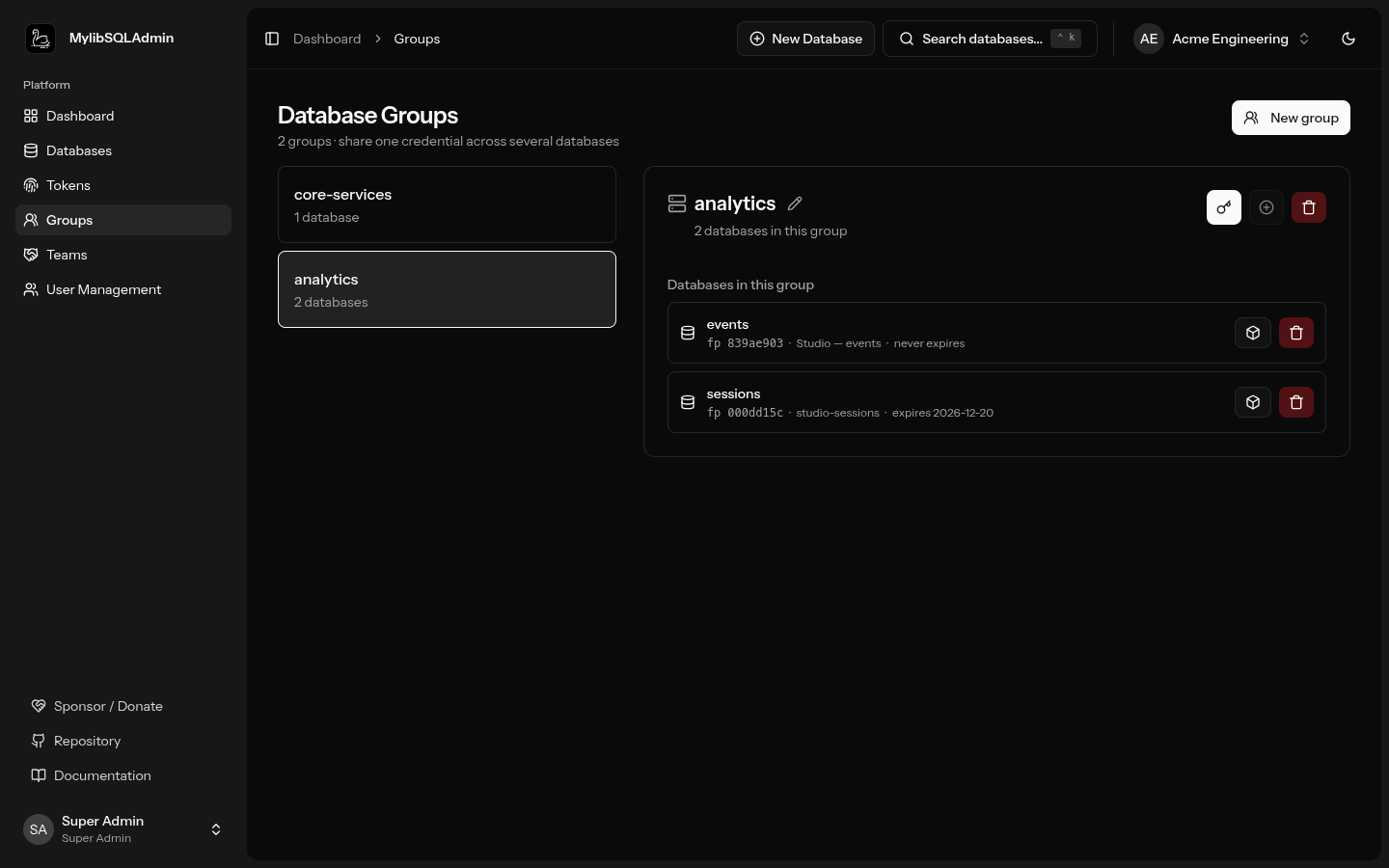
- New group creates an empty group.
- Add New Database creates a database directly inside the group.
- Add Existing attaches a database that already exists.
- Rename changes the label; it does not rename the namespaces inside.
- Delete removes the group. Databases inside it are not deleted — they become ungrouped.
Grant access
Maintainers and Members only see databases that have been granted to them. To grant:
- Open Databases.
- Find the row and use the grant action.
- Pick the user.
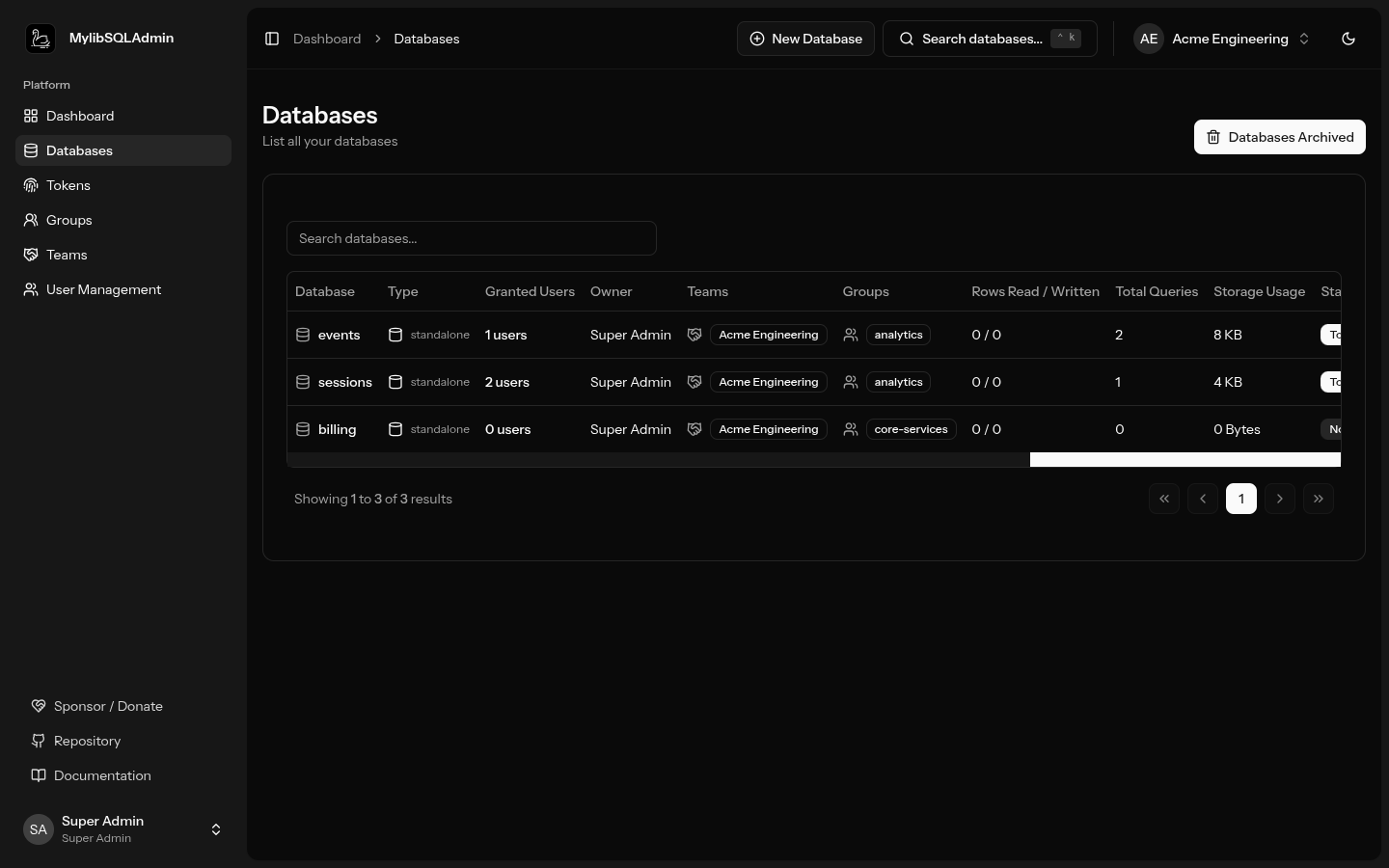
The Granted Users column reflects the result. Grants are additive; removing a grant is done from the same place.
Granting requires the delete-level policy on the database, which in practice means a Super Admin. Team Managers and Maintainers cannot grant access, including to themselves.
Read the metrics columns
| Column | What it tells you |
|---|---|
| Rows Read / Written | Cumulative counters from the metrics collector. A database with zero reads is not serving traffic. |
| Total Queries | Number of recorded queries. Useful for spotting a database that was created and forgotten. |
| Storage Usage | Latest snapshot, summed across the database’s files. |
| Status | Not Tokenized means no credential exists yet — nothing can connect. Tokenized means at least one token is active. |
Archive, restore, delete
Archiving is not a flag on the record — it moves the namespace on sqld. The three actions are a fork-and-delete dance, and the order is deliberate so that a failed fork never loses data:
| Action | What happens on sqld | What happens in the app |
|---|---|---|
| Archive | <name> is forked to <name>-archived, then <name> is deleted |
The record is soft-deleted, and so are its tokens |
| Restore | <name>-archived is forked back to <name>, then <name>-archived is deleted |
The record and its tokens are restored |
| Delete permanently | The archived namespace is deleted (or <name>, if the database was never archived) |
The record, its tokens, grants and metrics are removed for good |
Two consequences follow directly from that table:
- Archiving breaks the connection string. Applications using
<name>.<sqld-host>stop working the moment the fork completes, because that namespace no longer exists. The data survives in<name>-archived, but nothing can connect to it until you restore. - Restoring needs the name to be free. Restore forks
<name>-archivedback to<name>, so creating a new database called<name>while the old one is archived makes the restore fail. Names ending in-archivedare rejected at creation for the same reason.
Only a Super Admin reaches these actions: Archive appears on a database row for holders of delete-databases, and Databases Archived is the Super Admin-only list where Restore and Delete permanently live.
Unlike archive, Delete permanently removes the sqld namespace itself — the archived copy included — together with the record and its tokens. There is no UI path back. Take a backup of the sqld volume before using it, and remember that the namespace directory is the real data.