
Every database credential in MylibSQLAdmin is issued as a pair: a full-access token that can write, and a read-only token that cannot. Both are generated together, shown once, and stored only as SHA-256 hashes.
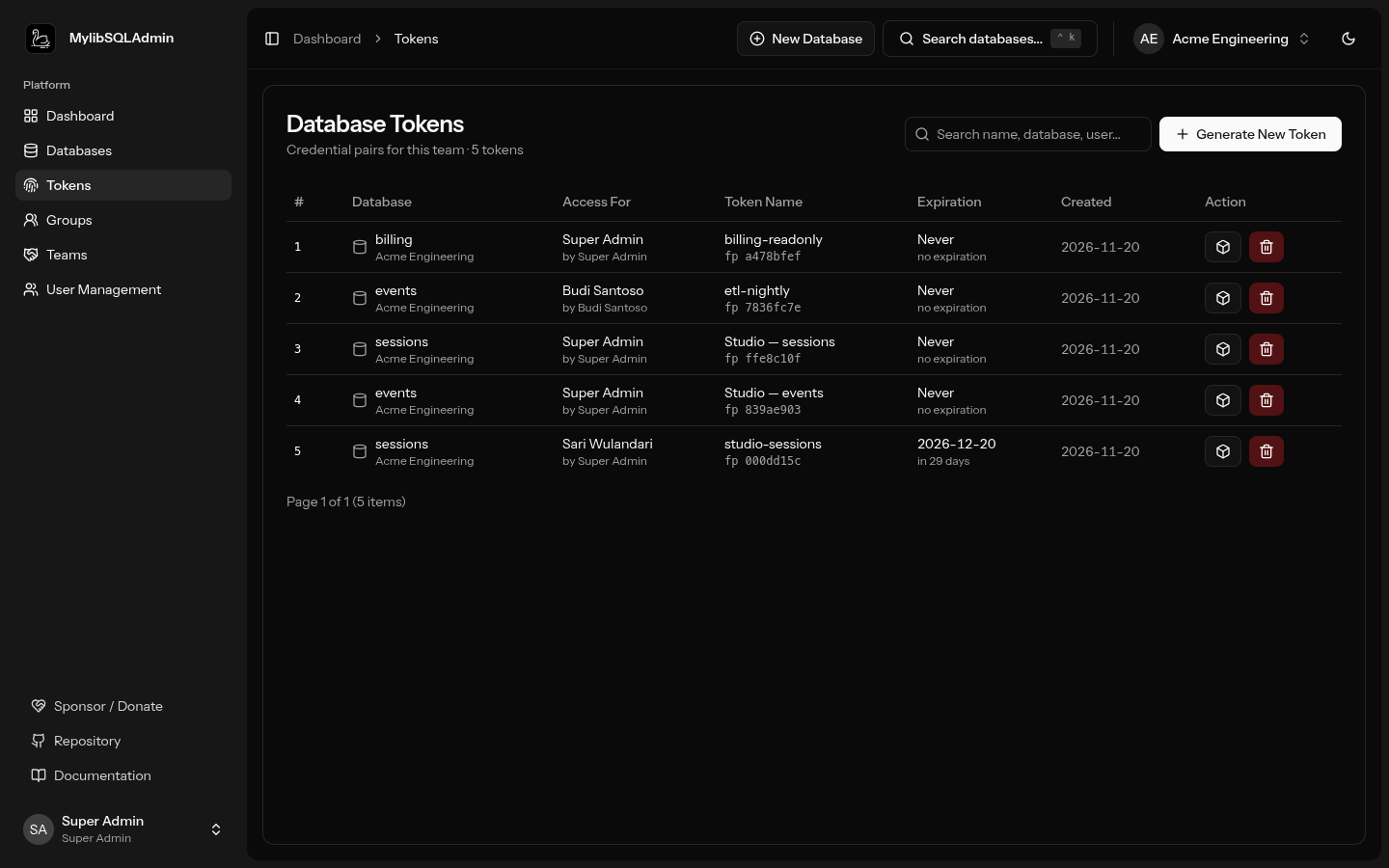
Generate a token
- Open Tokens → Generate New Token.
- Select the database. Only databases you can reach are listed.
- Optionally name the token. Name it after the consumer (
etl-nightly,reporting-readonly), not after the person — a token outlives a job title. - Select the user the token belongs to.
- Set an expiration in days.
0means no expiration. - Submit.
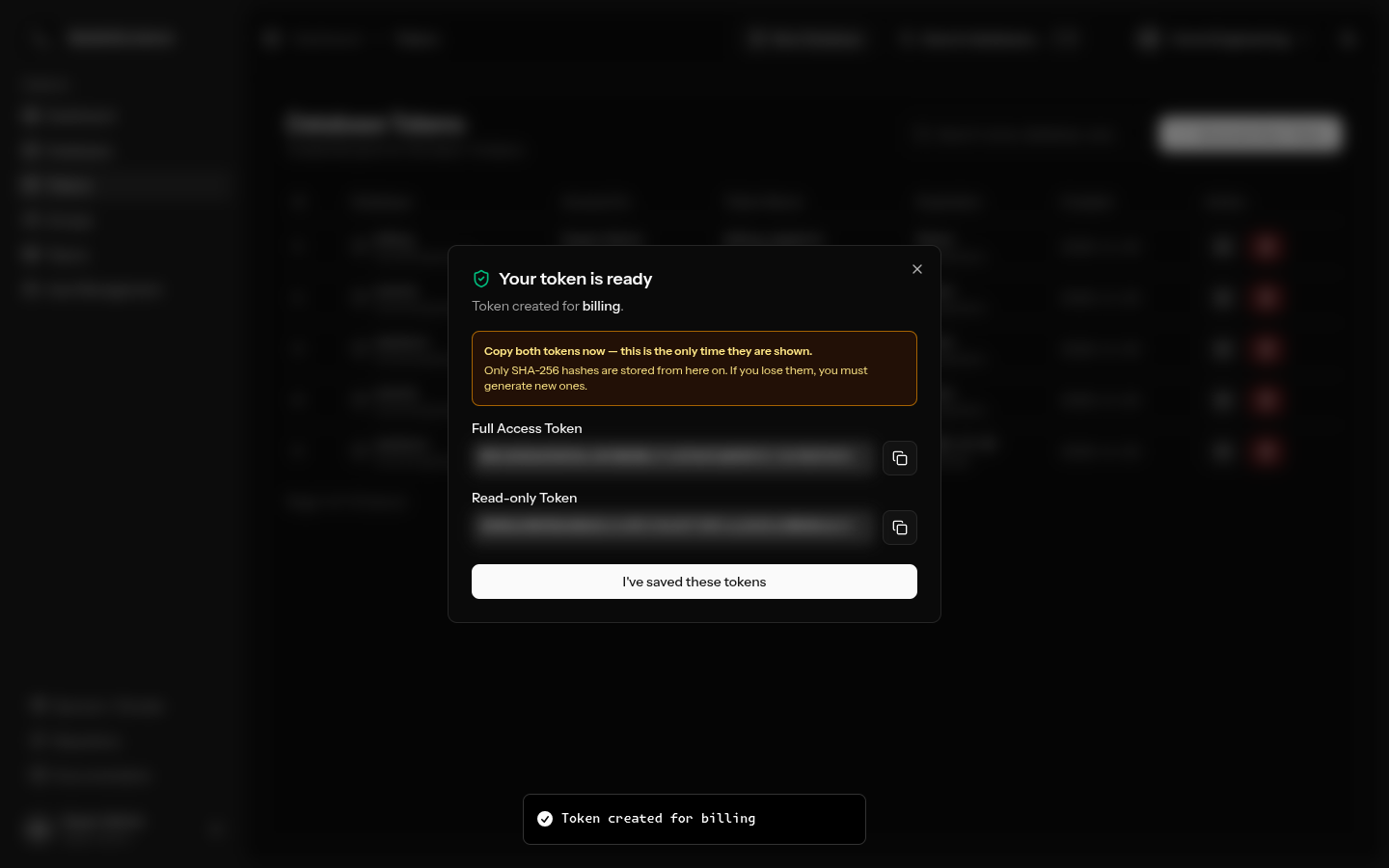
Copy both values before dismissing the dialog. If you lose them, mint a new pair — there is no recovery path, by design.
What is stored
| At creation | After the dialog closes |
|---|---|
| Full plaintext pair, returned once in the response | SHA-256 hash of each token |
| Name, database, owner, expiry | Same metadata, unchanged |
| — | A short fingerprint (fp 000dd15c, last 8 hex characters of the stored hash) for identification |
The fingerprint is derived from the stored SHA-256 hash, never from plaintext, and is safe to display. It lets you match a token in the UI or CLI to a credential in a secret store without exposing either. The CLI prints the same hash-derived value on both create and status, so a rotation can be confirmed without revealing the token.
Expiry and revocation
- Expiry is counted in days from creation. An expired token stops authenticating; the row stays for audit purposes.
- Revoke (delete) takes effect immediately. There is no grace period and no cached session.
- Rotating a credential means: mint the new pair, update the consumer, revoke the old row. Do it in that order so the consumer never runs without a credential.
The read-only token is a separate credential, not a permission flag on the full-access one. Give the read-only value to dashboards and analytics jobs; keep the full-access value for migrations and writes.
Database tokens vs group tokens
| Database token | Group token | |
|---|---|---|
| Scope | One database | Every database attached to a group |
| Minted by | Super Admin, Database Maintainer | Super Admin, Team Manager |
| Where | Tokens | Group detail |
| Use when | A consumer talks to exactly one namespace | Several databases share one application identity |
A Team Manager can see the team’s database tokens but cannot mint them. That is why the group token is the credential a Team Manager actually owns.
Tokens and Studio
Database Studio does not ask you to paste a token. On every visit it mints a short-lived full-access token for the signed-in user, hands it to the embedded Studio, and never persists the plaintext on the server. This is why opening Studio works for a Member even though the Tokens section is not part of their sidebar.